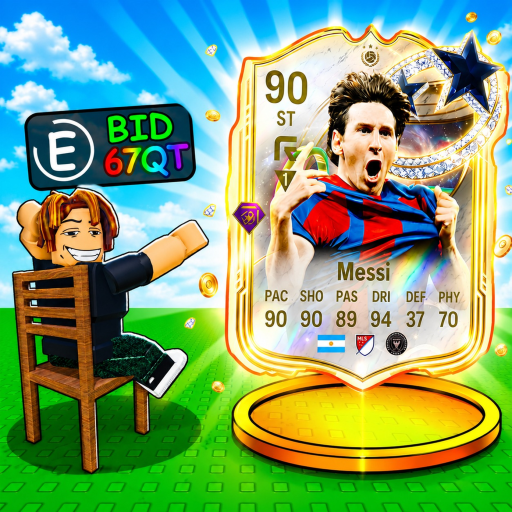
BidForSoccerCards
Beginner guide

How to Play Bid For Soccer Cards

Check Bid For Soccer Cards availability, the three public place records, and the published auction-to-rebirth loop without assuming unpublished routing rules.

Last verified · guide evidence check
Quick answer

Availability review: September 11, 2026. Use the exact Roblox listing first. Public page information and recent tracker activity are available in this review, but joining was not tested. When you reach the game, follow the published auction, card-income, Luck and Rebirth loop; do not infer Beginner or Pro entry rules from their names.

Use the exact root place to check availability. When you reach the game, the creator description supports the auction, card-income, Luck, variants, mutations, and Rebirth loop; it does not establish that every place uses identical rules.

Server routing status

Main, Beginner, and Pro place records

The public universe lists Main, Beginner, and Pro as 24-player places. Eligibility, automatic routing, economy, card pools, progression, and purchase persistence are not published.

Main, Beginner, and Pro place records
PlaceServer typePlace IDMax playersEntry rulesConfidence
Bid For Soccer Cards!Main7357869840132024Not publishedOfficial
Bid For Soccer Cards [Pro Server]Pro8694456975659024Not publishedObserved
Bid For Soccer Cards [Beginner Server]Beginner9329860118110224Not publishedObserved
Step by step

Follow the process in order

Make the decision before pressure, Robux, or a reset makes it harder to stop.

  1. 01

    Check the exact official root place

    Use place ID 73578698401320 by SOCCER SILLY GAMES studio. If Roblox still shows the experience as unavailable, wait and recheck rather than using a copy or download.

  2. 02

    Treat place names as records, not access promises

    Main, Beginner, and Pro names and IDs are public. Do not infer entry requirements, automatic routing, card pools, prices, or shared progress from those names.

  3. 03

    Protect part of your cash

    Decide how much cash must remain untouched for later bids or upgrades. Treat that reserve as unavailable.

  4. 04

    Set a hard-stop bid

    Apply a risk percentage only to cash above the reserve. If the live bid reaches your hard stop, let another player win.

  5. 05

    Use card income deliberately

    Won cards earn money. Reinvest when a visible auction or luck upgrade fits your reserve and recovery plan.

  6. 06

    Preview rare systems before committing

    Gold, Diamond, Rainbow, Secret, mutations, and rebirth are named systems. Read the live prompt before spending or resetting.

The page opens, but I cannot join

These are conditional Roblox troubleshooting steps, not reports of a game-wide incident. Start with the error actually displayed on your device.

1. Confirm the destination

Open Bid For Soccer Cards, Place ID 73578698401320. Do not replace it with a similarly named experience, a “restored” copy, or a direct Pro-place link presented as a bypass.

Check Roblox’s platform status when joining also fails elsewhere. A normal platform status does not rule out a problem with one server or account.

2. Error 279 / ID 17: follow connection troubleshooting

Roblox describes this error as difficulty establishing the client-to-server connection. Retry after closing and reopening Roblox. Where permitted, compare with another trusted network, then use the official instructions for your operating system if the problem continues.

Use Roblox’s 279 / ID 17 help. Do not install an executor or an unofficial “connection fixer.”

3. Error 524: check access to the requested server

Roblox associates this error with access permissions, while also listing temporary server or connection issues as possible causes. When following a private-server invitation, check that the owner has granted access and review the private-server settings available to your account.

Use Roblox’s 524 help. This is not evidence that Bid For Soccer Cards requires a paid Pro unlock. Do not buy a pass solely to solve this error, and do not bypass account restrictions.

4. A different message or repeated failure

Keep the exact error text, device type, time, and game URL. Find the matching entry in Roblox’s error-code guide. Do not post passwords, security codes, or private account documents on a fan site.

Review the dated game-status notes · Find creator-owned links

If you're stuck

Fix the immediate problem

Progress feels slow

Stop chasing every auction. Keep a reserve, wait for lower competition, and buy the next visible improvement only when its cost is clear.

The rebirth result is unclear

Do not confirm. Record the current preview, what resets, and the stated benefit before deciding.

Common mistakes

Avoid the expensive shortcuts

Bidding because a card looks rare

Rarity art does not reveal exact income or value. Use a budget limit.

Spending the full cash balance

Reserve cash for later tables and upgrades before calculating a bid.

Assuming luck guarantees a Secret card

No exact rate or guarantee is published; luck changes chance, not certainty.

Treating Pro as automatically better

The public name alone does not prove stronger cards, higher values, or different progression.

FAQ

Common questions

Can I play Bid For Soccer Cards right now?

The public listing and recent tracker activity can be checked, but this site has not verified a client join for your account. Open the exact Roblox experience and use the troubleshooting section when an error appears.

How do cards help progression?

The official description says cards grow your collection and earn money.

Which special card variants exist?

Gold, Diamond, Rainbow, and Secret are named, and the game also mentions mutations.

When should I rebirth?

Only after the current in-game preview makes the reset cost and benefit clear enough for you to accept.

Next step

Keep moving with a specific answer

Browse more guides after How to Play Bid For Soccer Cards →